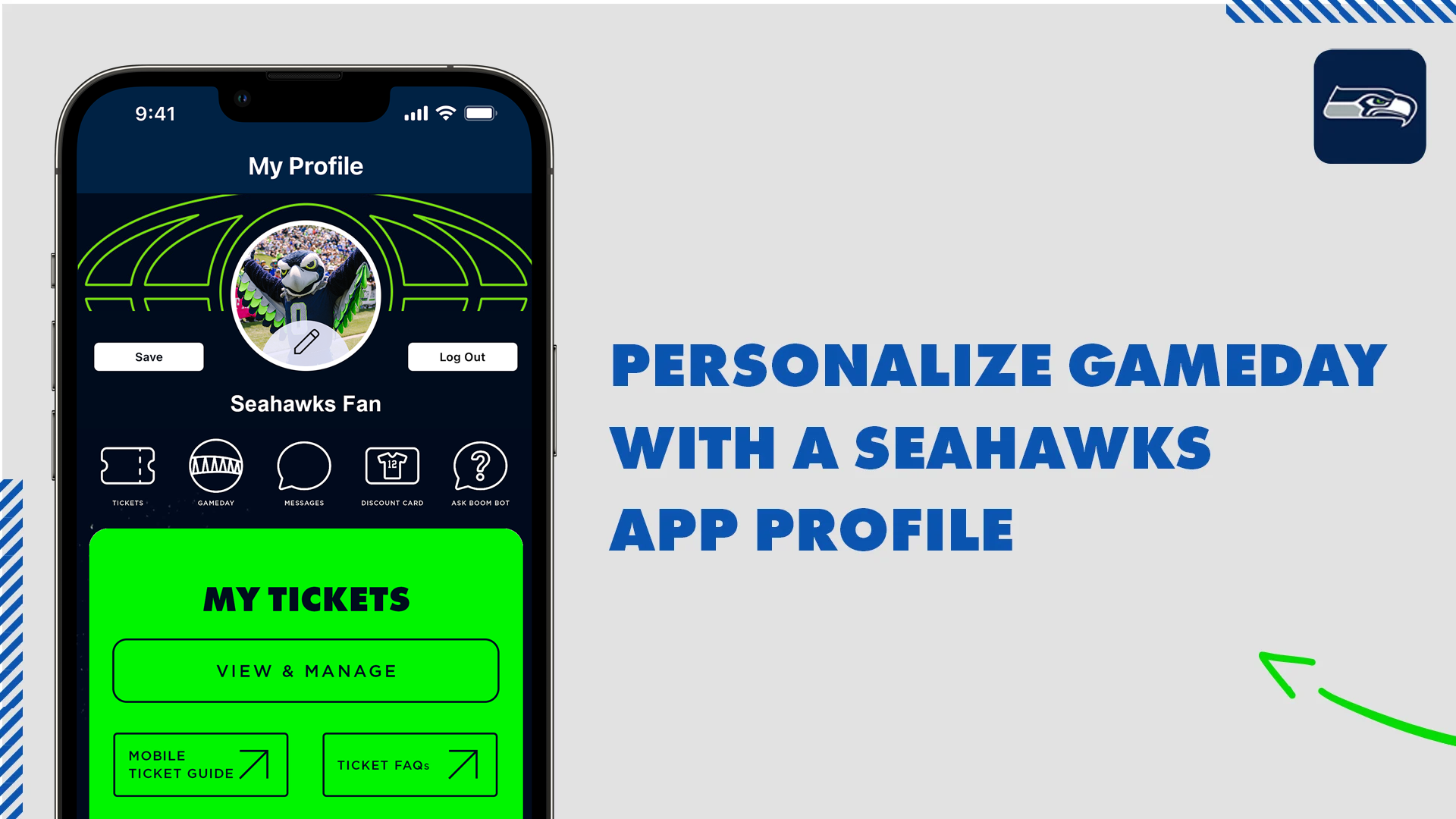
Create a Seahawks App Profile
Create a Seahawks App account to customize your experience for gameday updates, team news, ticket access and more!
Follow these 3 easy steps to update and log in to your Seahawks Mobile App.
Step 1: Download the latest version of the Seahawks Mobile App from the Apple App Store or the Google Play Store. Update Your Mobile App.
Step 2: Select My Profile from the main menu and tap Login. If you have an existing NFL Account, login with those credentials. If you previously created a Seahawks Mobile App Profile, use those credentials to sign in to your profile. If you do not remember your password, select Forgot Password to reset it.
Step 3: Once logged in, you will be prompted to connect to your Ticketmaster Account where you can manage your mobile tickets ahead of gameday.
Step #1

To get started, download the Seahawks Mobile App from the Apple App Store or Android Google Play Store. If you already have the Seahawks Mobile App, make sure you have the latest version downloaded.
Step #2
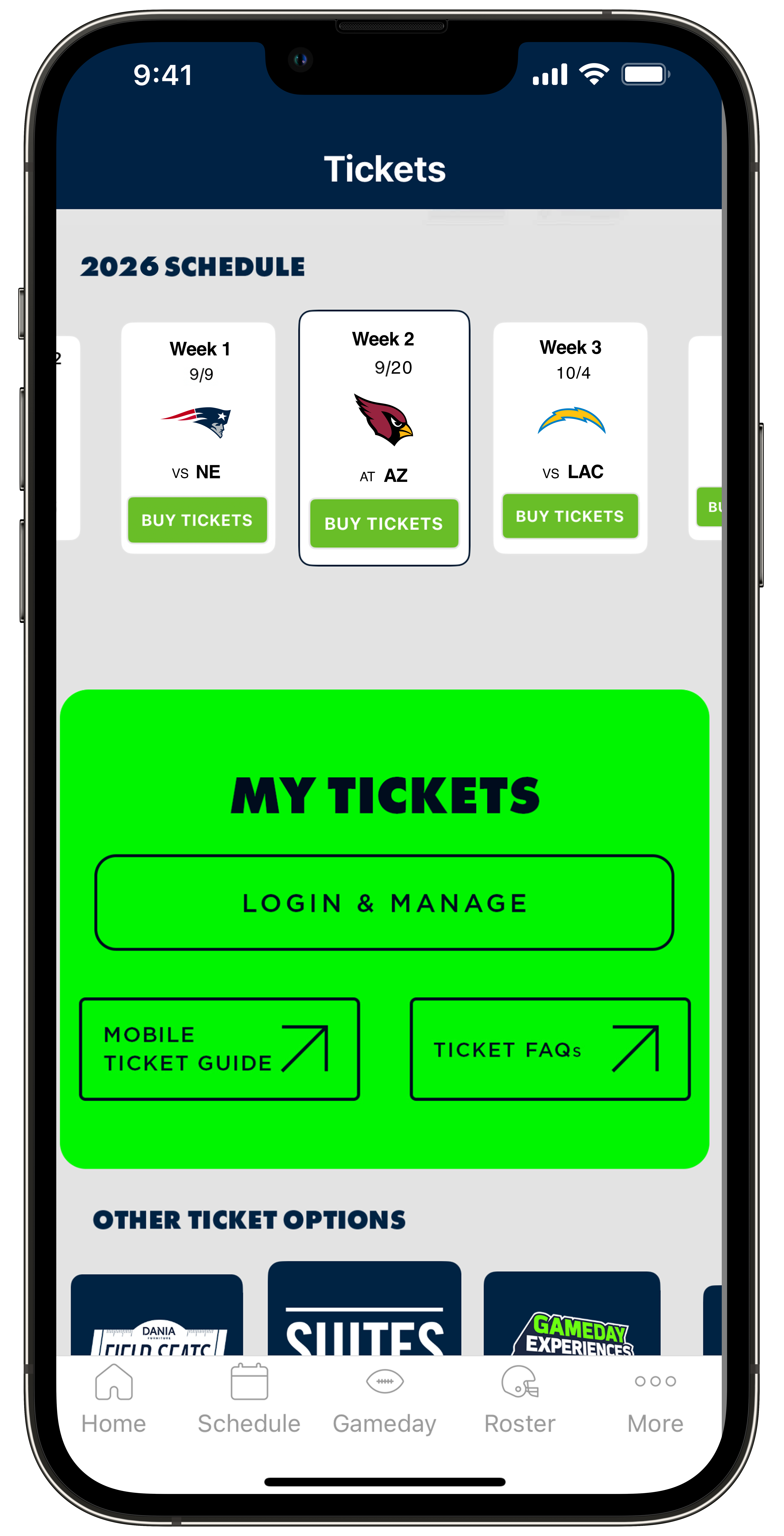
When you open the Seahawks Mobile App for the first time and tap on More found on the bottom menu then tap My Profile. Then tap on the Sign In, you'll receive a prompt to create an account or login to an existing Seahawks Mobile App Profile.
Step #3
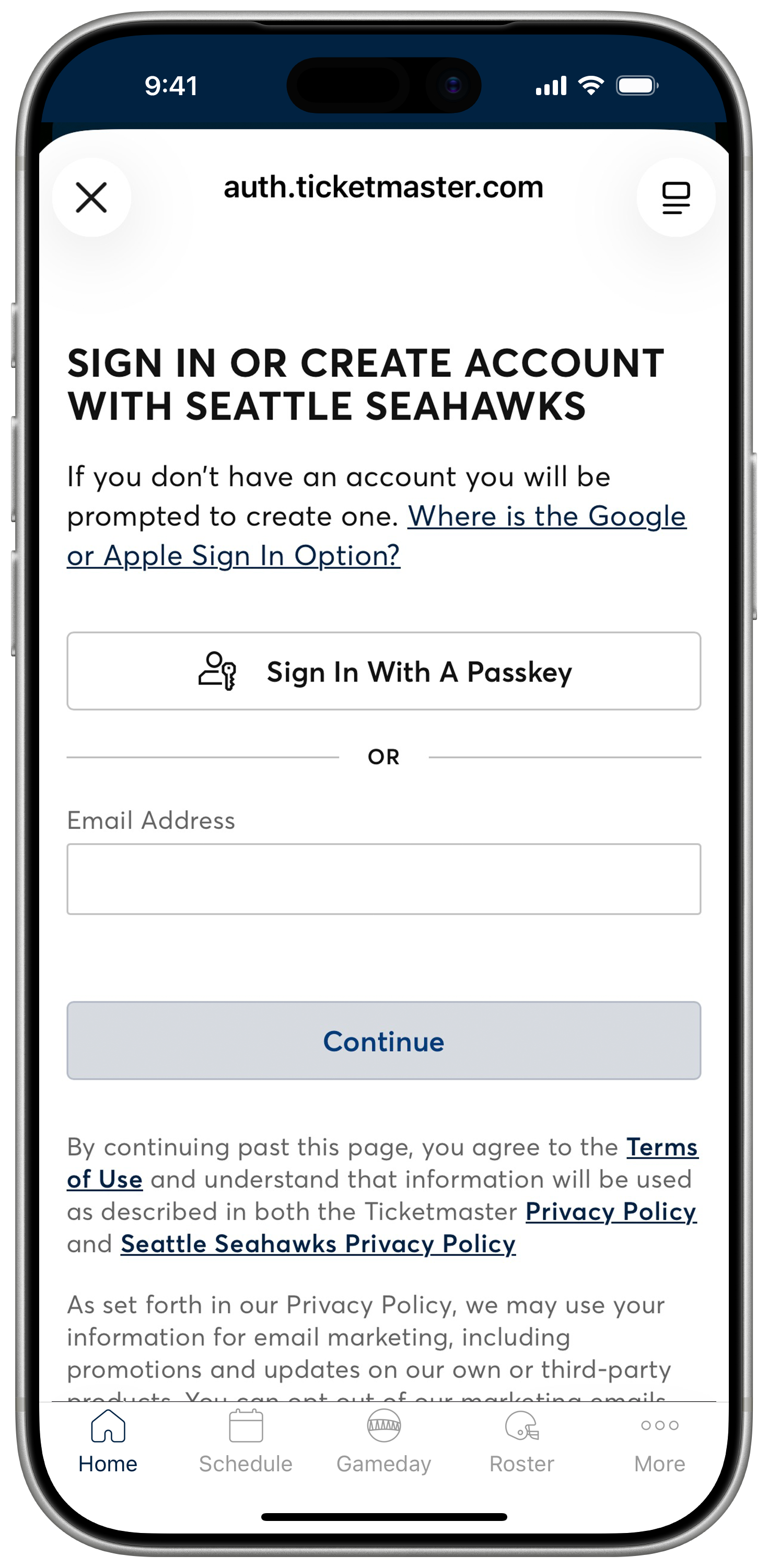
Login to your Seahawks Account Manager account powered by Ticketmaster to see your game tickets.
Login by Email: Please be sure to use the email address associated with your tickets.
Login by Passkey: First, proceed to sign in using your email address and follow the prompts to set up a passkey. Passkeys can be your face, fingerprint, or device lock. Once set up, you can use the Login by Passkey method moving forward for fast, seamless access to your account.
Don't have an account? Enter your email address and follow the prompts to create one using the email address associated with your tickets.
Forgot your password? Select the Forgot Password option to reset it. You can choose to receive an email or text message with a one-time code to reset your password. Enter the code and set your new password to log in.
Step #4
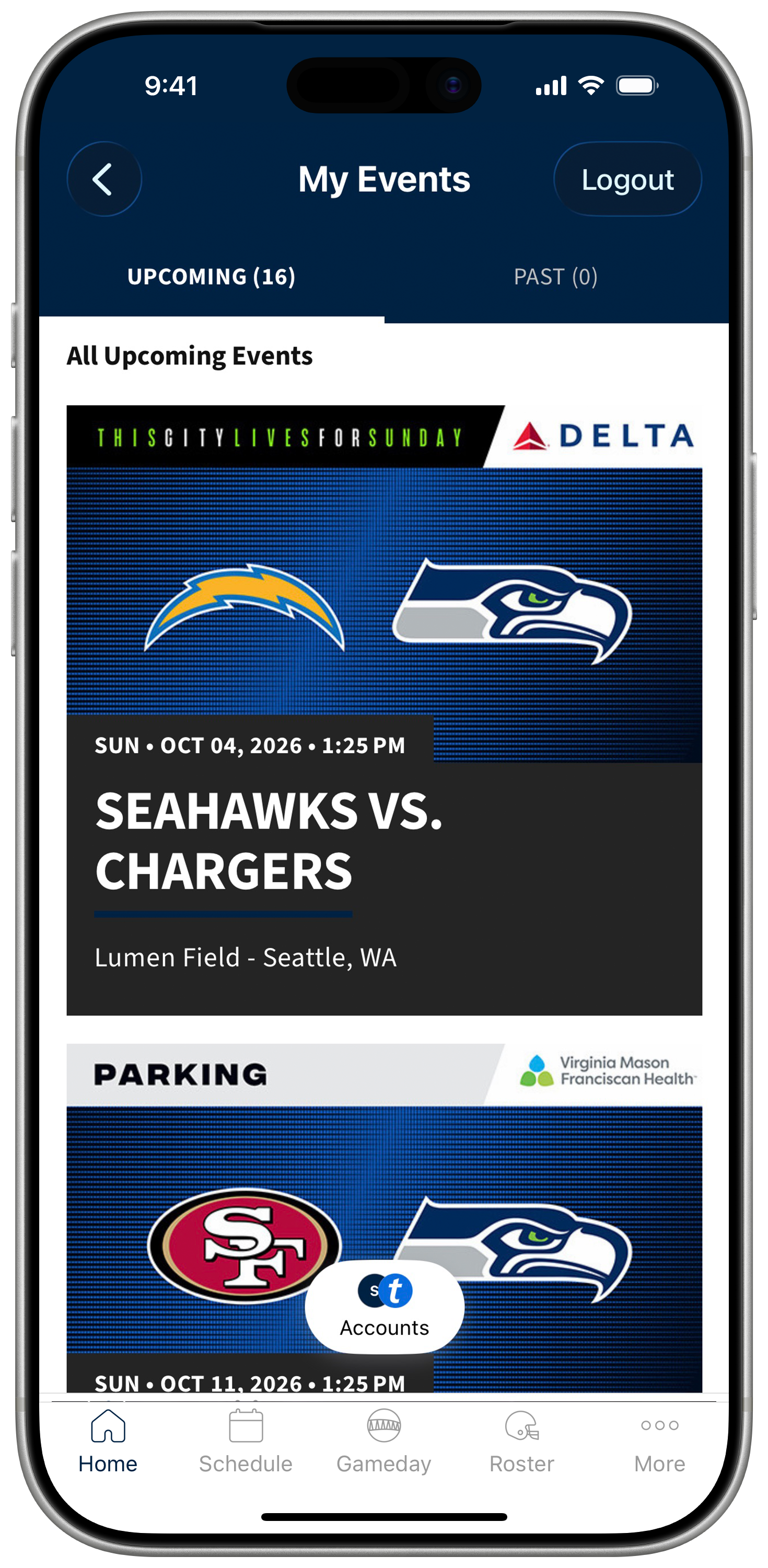
Once you're logged into Seahawks Account Manager, you'll be prompted to connect your Ticketmaster account. After connecting, go to the My Tickets section and tap the button below.
If you're not already signed into Ticketmaster, you'll be asked to log in at this step. Once logged in, you'll see an event tile for each game. If your account includes parking passes, you'll also see a separate event tile for parking.
Simply tap the game or parking event you'd like to access, and your tickets will be ready to view.
Step #5
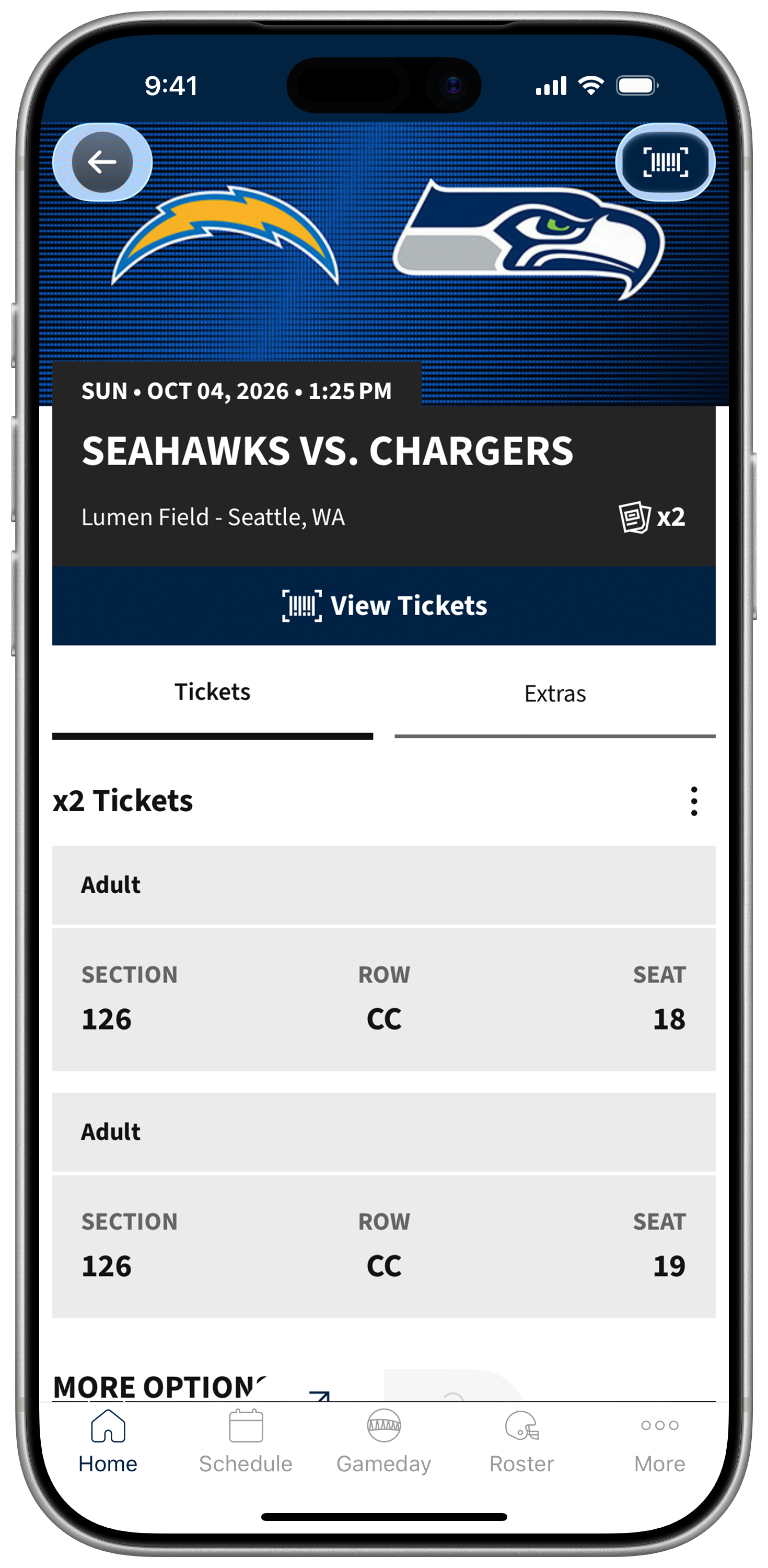
Select the game you'd like to attend. From there, you'll be able to view your tickets for that specific game. Click View Tickets to scan the barcode or add to wallet.
Step #6
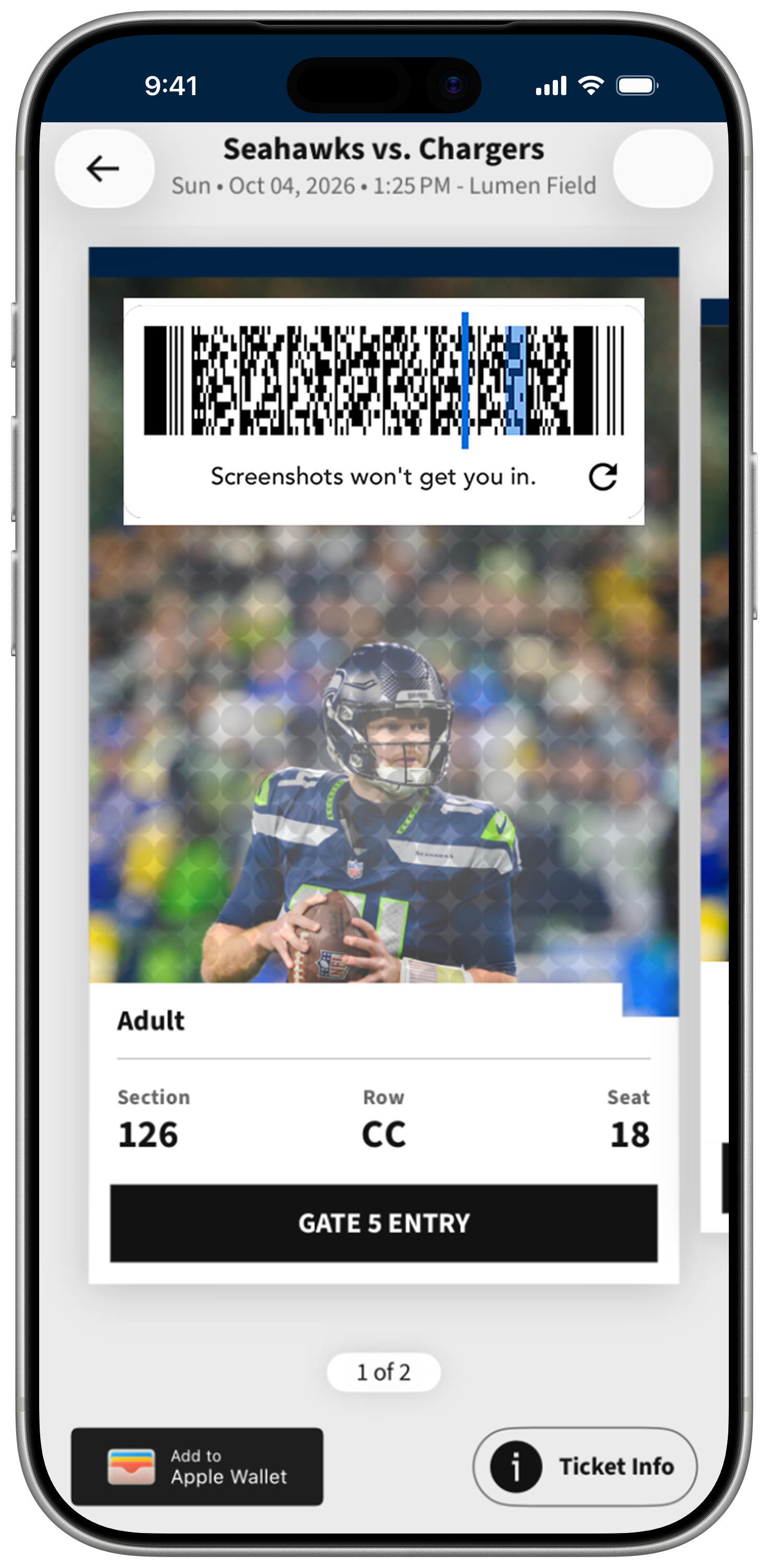
On the ticket screen, tap "Add to Google Wallet" or "Add to Apple Wallet" depending on your device. If you're using Google Wallet, you'll be prompted to verify your Google account and accept the terms and conditions. For Apple Wallet, you may be asked to link your Ticketmaster account to your iCloud. These are quick, one-time actions.
Android Users: In your settings, please ensure you enable NFC capabilities in order for your wallet tickets to scan.
Step #7
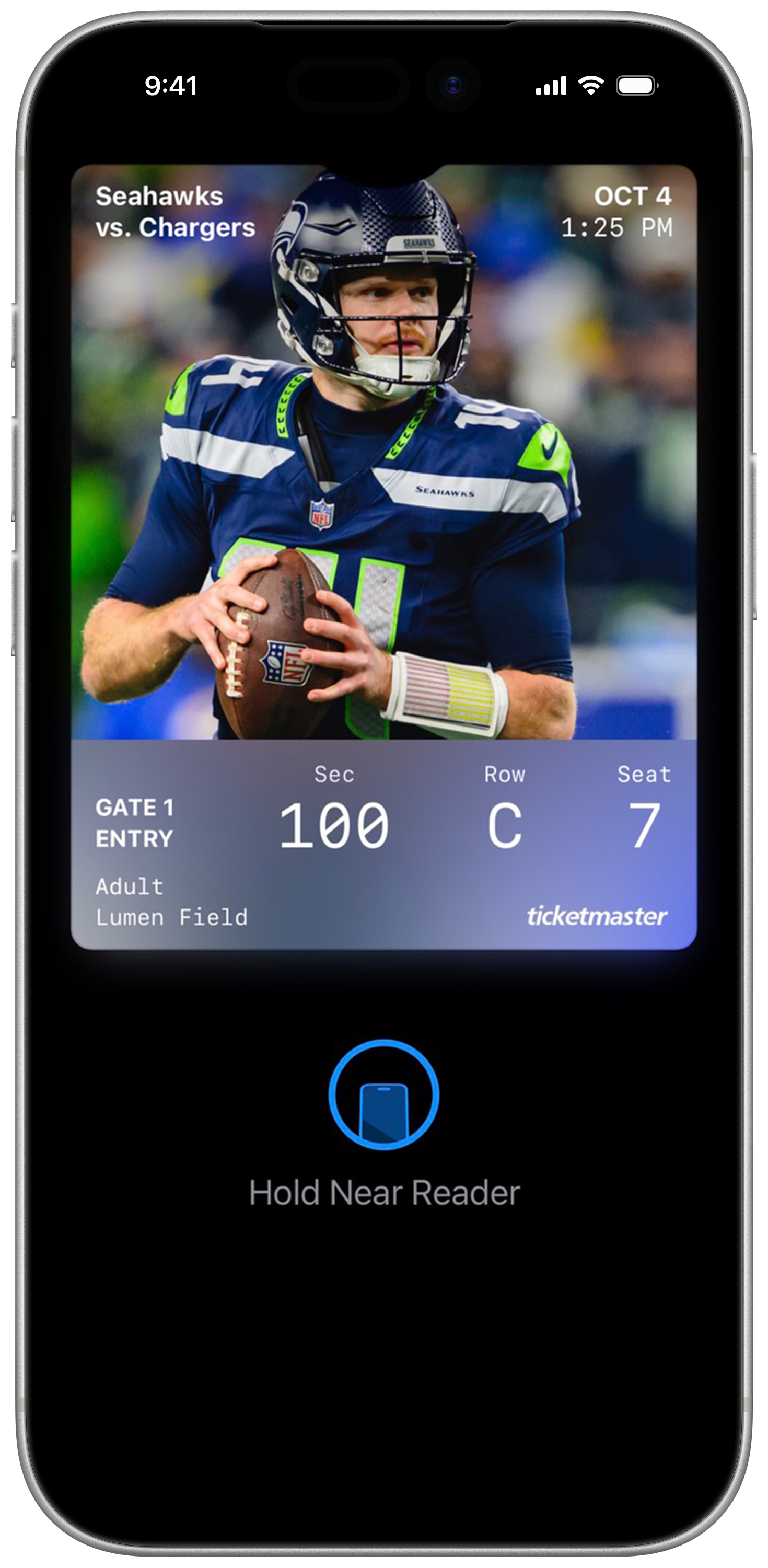
Once added, your tickets will appear in your mobile wallet app. On gameday, simply open Google Wallet or Apple Wallet, select your ticket, and tap your phone at the self-service scanning towers for entry. Remember, each ticket must be scanned individually for access.

Download Today.
Download the Seahawks app today for your iOS or Android device.
Frequently Asked Questions
How do I access my tickets on my smartphone?
The first step is to download the Seahawks Mobile App from the iTunes App Store or the Google Play Store . Please follow our "Accessing Your Tickets" tutorial above for full instructions.
How much does the Seahawks Mobile App cost?
The Seahawks Mobile App and mobile ticketing are FREE. There are no costs associated with managing your tickets via the Seahawks app or using the Seahawks Account Manager on your smartphone, including accessing tickets for mobile entry, sending tickets or selling tickets online.
Is the Seahawks Mobile App the only way to access mobile tickets on my smartphone?
While we recommend the Seahawks Mobile App since it is the cleanest and most user-friendly option, you can also use your mobile web browser and log into the Seahawks Account Manager at seahawks.com/accountmanager to access your tickets.
Can I use a screenshot of my ticket?
No, due to new rotating barcode technology to keep tickets secure, screenshots will not be valid. You must present your mobile ticket on your phone for access into Lumen Field.
What happens if my mobile ticket doesn’t scan properly?
The first step is to ensure the brightness on your screen is turned to the highest setting. If that doesn't do the trick, our staff is here to help! If you have ANY trouble with your mobile ticket, you can ask one of our Mobile Coaches around the stadium for assistance or come visit us at the Lumen Field Box Office and speak to a Customer Service Representative. We will always ensure your ticket is valid for entry!
What if I lose connectivity / can’t connect to my account at Lumen Field?
Lumen Field has WiFi you can connect to throughout the stadium so this issue is extremely rare. We do however encourage you to log in and view your mobile tickets PRIOR to the game. The Seahawks Mobile App includes "offline mode" so once the mobile tickets have been viewed on your Seahawks Account, it caches and can be accessed in the future regardless of internet connectivity.
When should I log in and view my ticket?
We recommend that you log into Seahawks Account Manager on the Seahawks Mobile App at least 24 hours prior to gameday. That way you are prepared prior to arriving at Lumen Field! Follow the tutorial for "Using Your Tickets On Gameday" for assistance.
Can I have multiple tickets on a single smartphone?
Yes! When you view your mobile tickets, swipe to the left to view each ticket in your account. You also have the option to send each seat partner their own individual mobile ticket. Please review our “Transferring Your Tickets” tutorial for instructions on how to do that.
What if my entire party isn’t with me when I’m ready to enter?
You can easily send each member their ticket individually! Please review our “Transferring Your Tickets” tutorial for instructions on how to do that.