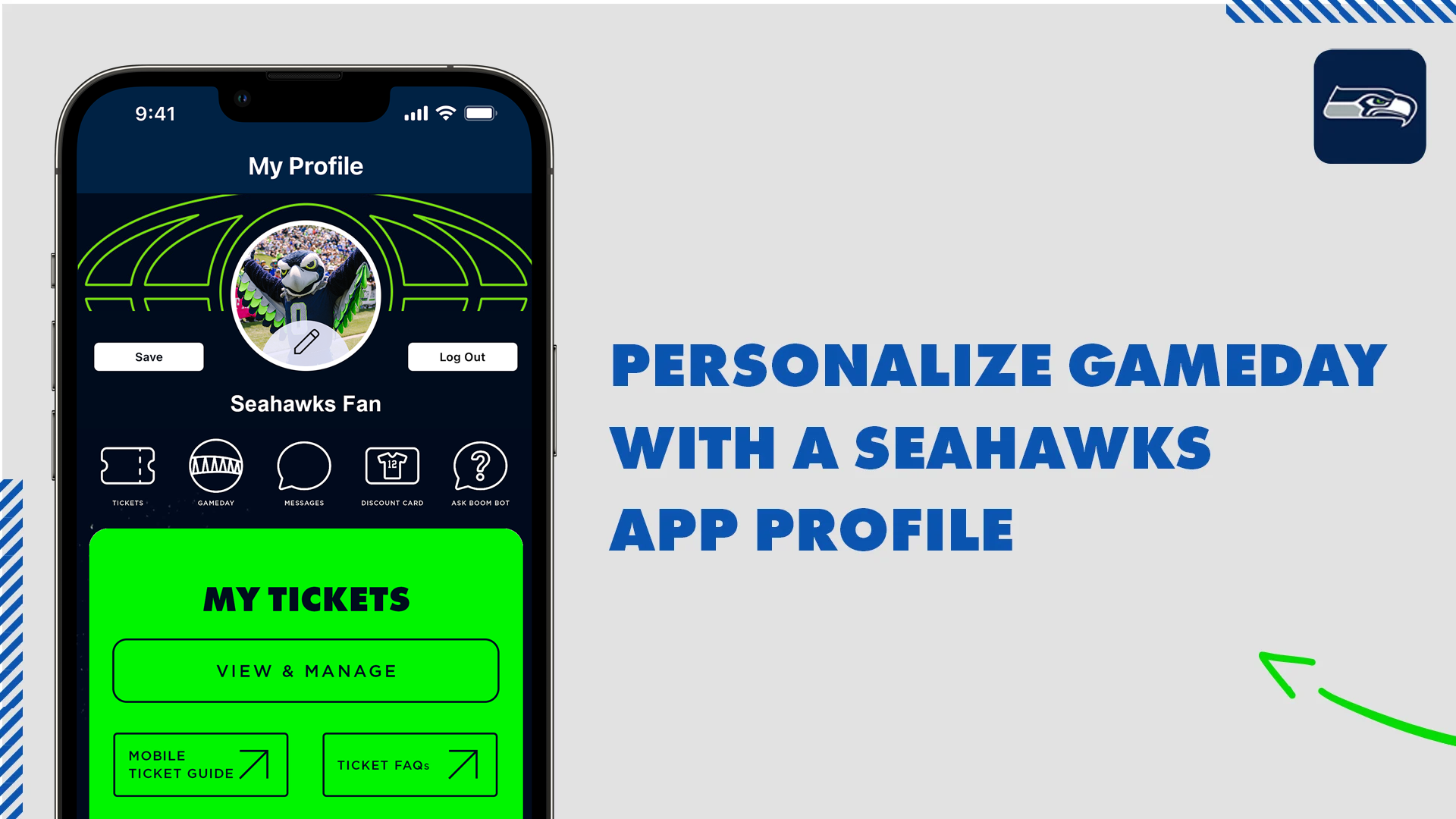
Create a Seahawks App Profile
Create a Seahawks App account to customize your experience for gameday updates, team news, ticket access and more!
Follow these 3 easy steps to update and log in to your Seahawks Mobile App.
Step 1: Download the latest version of the Seahawks Mobile App from the Apple App Store or the Google Play Store. Update Your Mobile App.
Step 2: Select My Profile from the main menu and tap Login. If you have an existing NFL Account, login with those credentials. If you previously created a Seahawks Mobile App Profile, use those credentials to sign in to your profile. If you do not remember your password, select Forgot Password to reset it.
Step 3: Once logged in, you will be prompted to connect to your Ticketmaster Account where you can manage your mobile tickets ahead of gameday.
Step #1
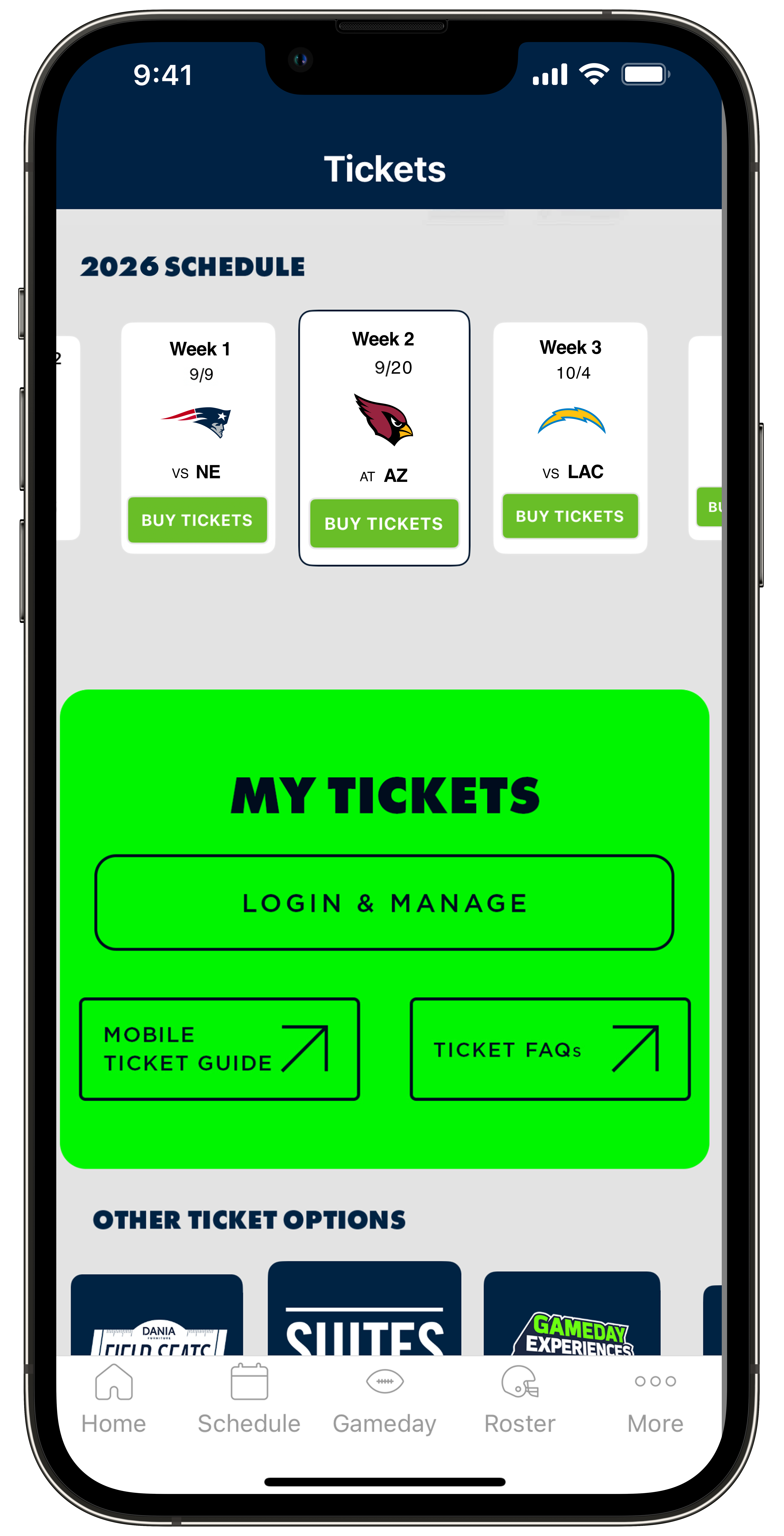
There are two easy options to accept your tickets:
- Through the Seahawks Mobile App
- By following the steps sent to you in your notification email
To accept your tickets via the Seahawks Mobile App, ensure you have it downloaded on your device. If necessary, download it from the App Store or Google Play Store. Open the app and tap on More found on the bottom menu then tap My Profile. Then tap on the Sign In, you'll receive a prompt to create an account or login to an existing Seahawks Mobile App Profile.
Step #2
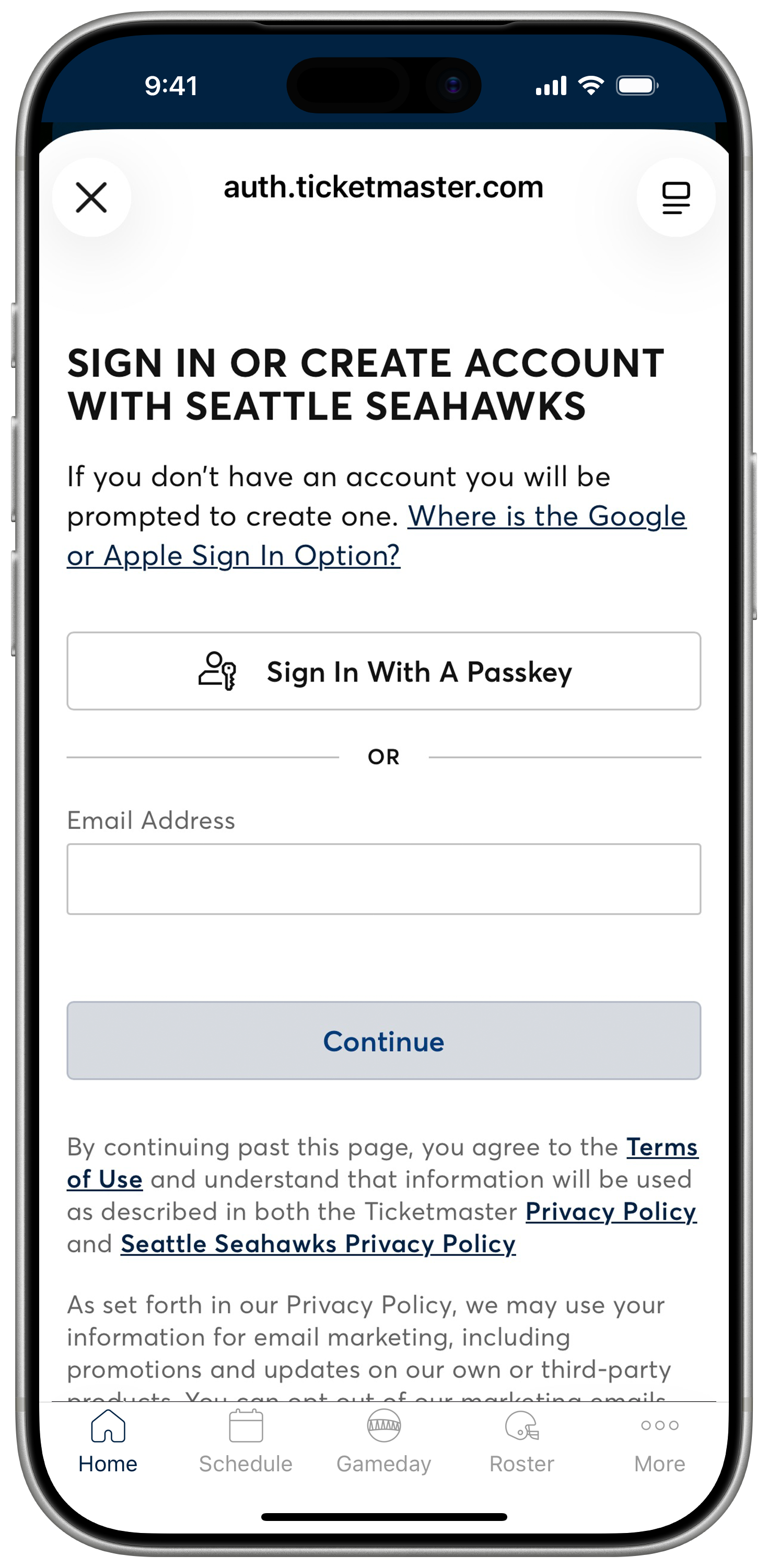
After connecting your Seahawks Account Manager account powered by Ticketmaster, you'll be directed to your game tickets. Please be sure to use the email address associated with your tickets.
Don't have an account? Follow the prompts to create one using the email address associated with your tickets.
Forgot your password? Select the Forgot Password option to reset it. You can choose to receive an email or text message with a one-time code to reset your password. Enter the code and set your new password to log in.
Step #3
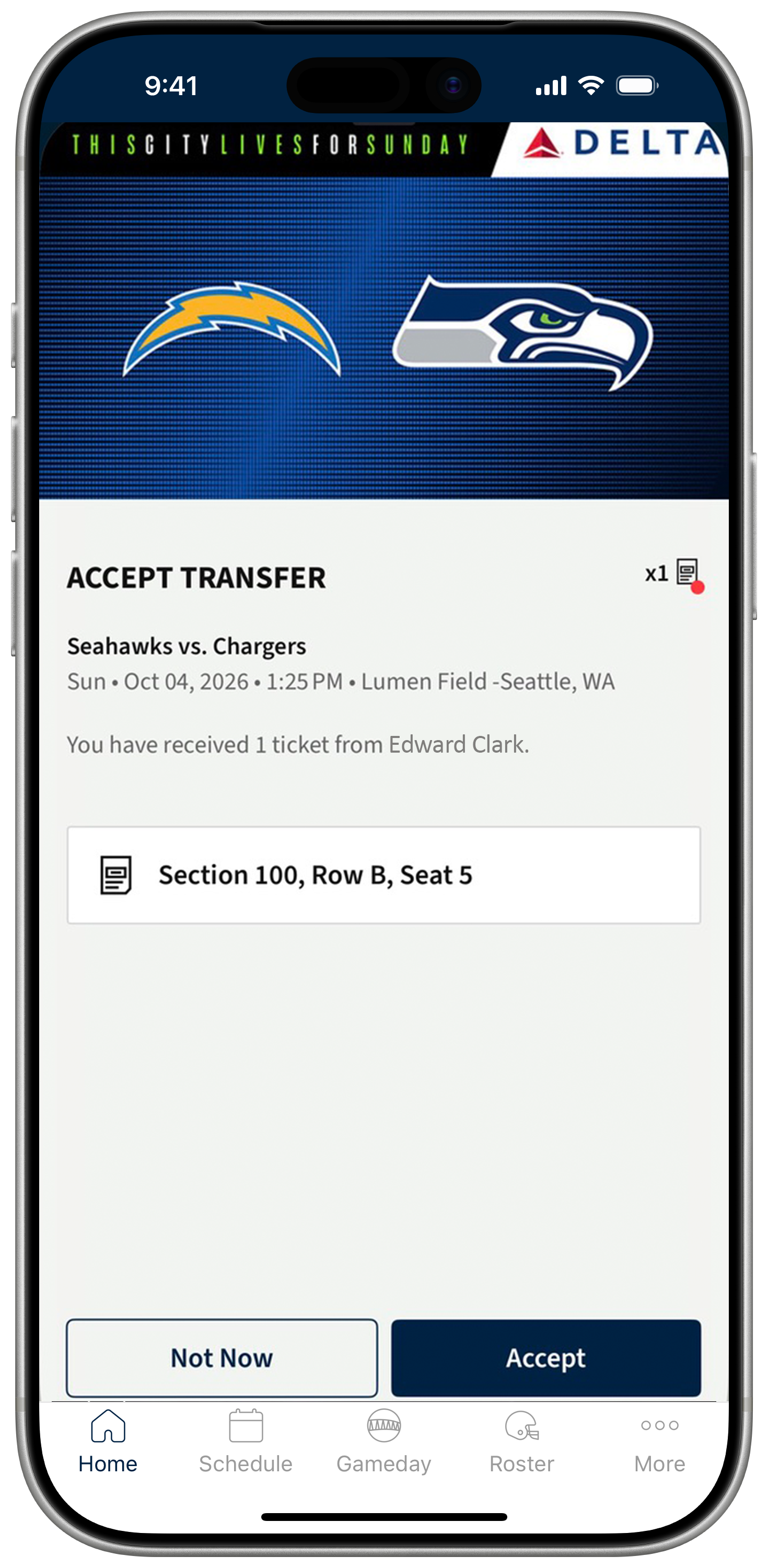
Once your Seahawks Account Manager account has been connected to your Mobile App profile you will see a ticket transfer notification. Tap Accept Tickets to claim your seats and add them to your account.
Step #4
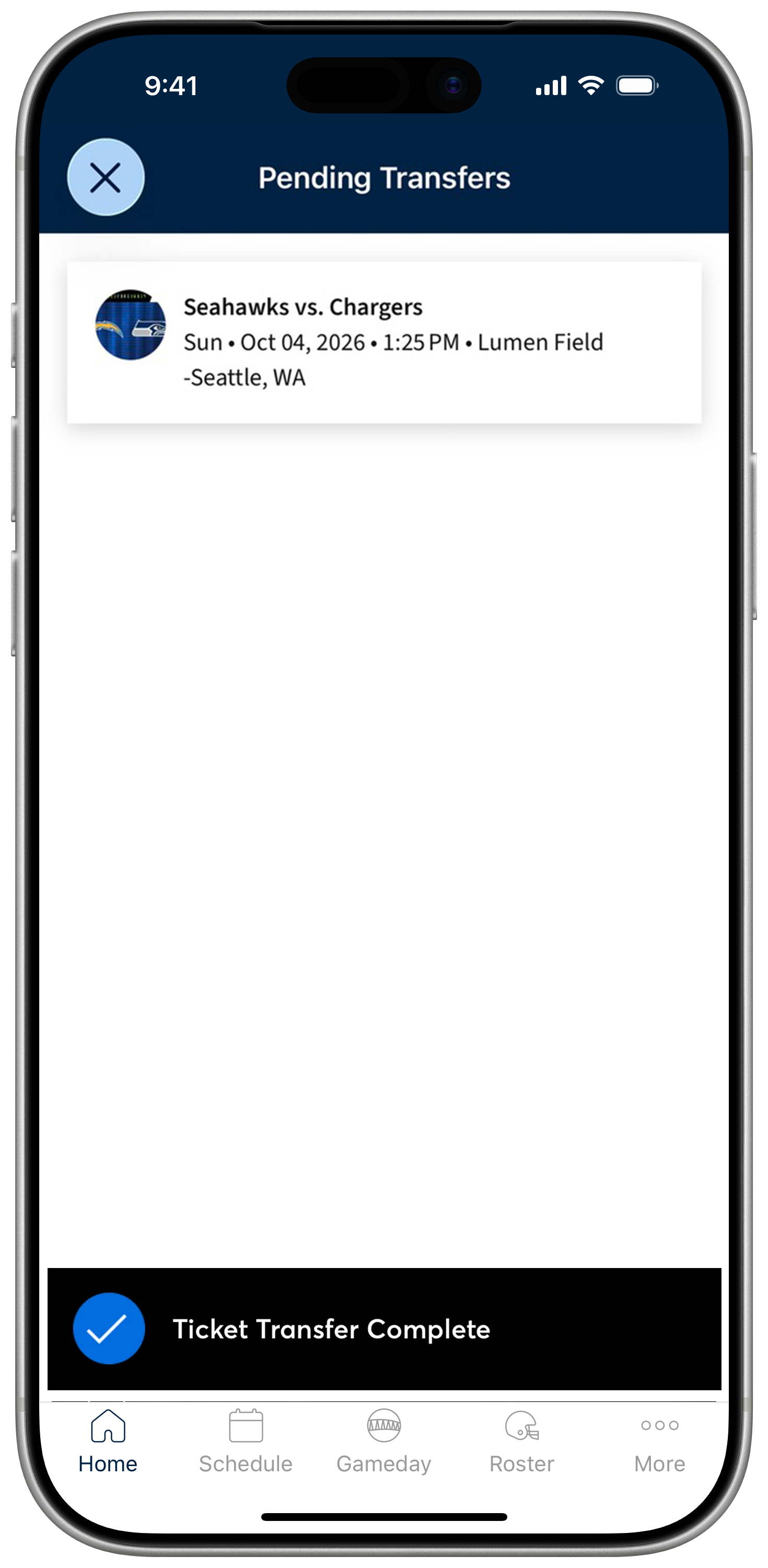
Once the transfer is complete tap the game you'd like to open tickets for. Then tap Add to Wallet to add your ticket to Apple Wallet or Google Wallet ahead of gameday for easy access at gate entry.
Step #5
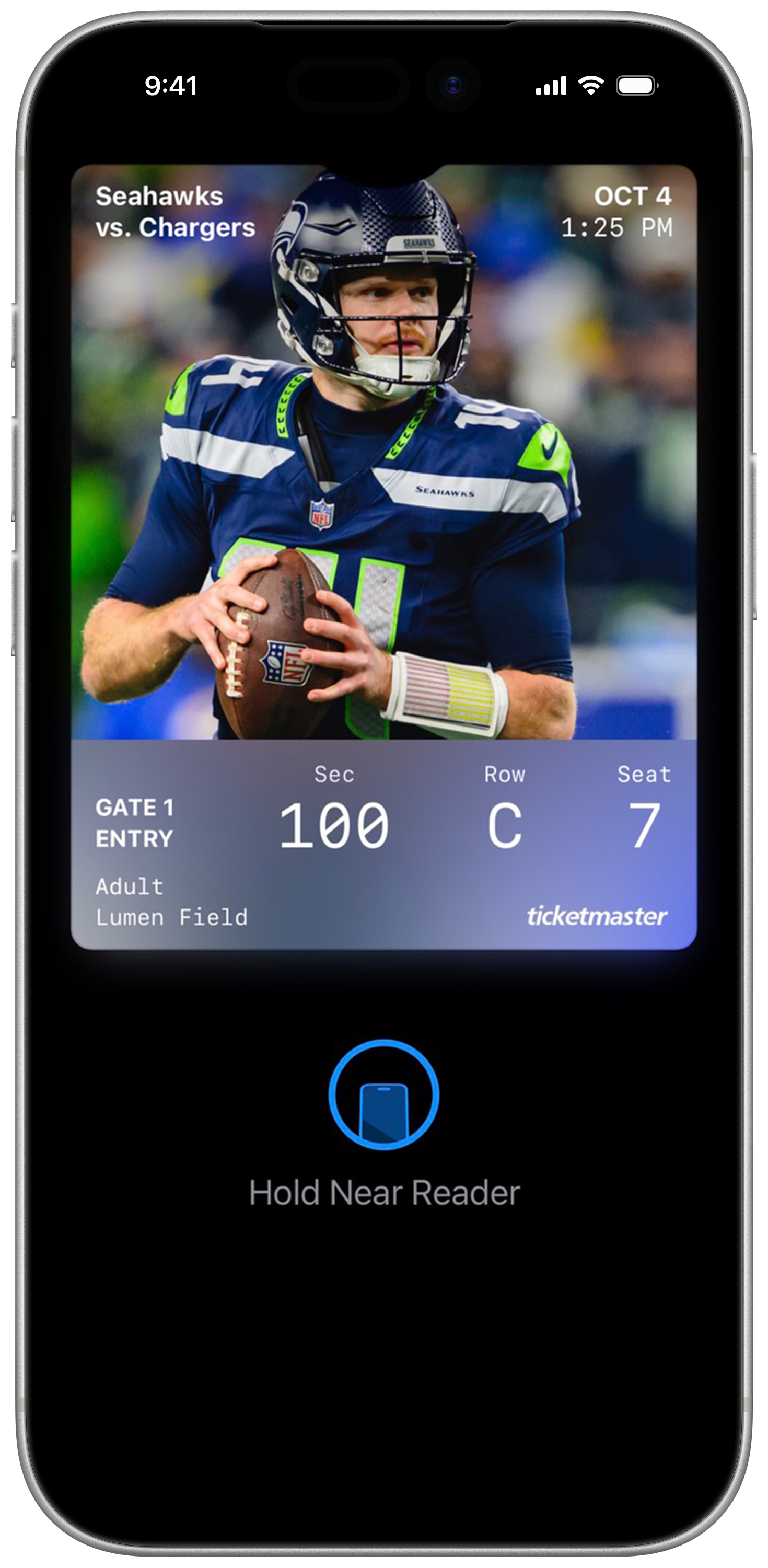
Once added, your tickets will appear in your mobile wallet app. On gameday, simply open Google Wallet or Apple Wallet, select your ticket, and tap your phone at the self-service scanning towers for entry. Remember, each ticket must be scanned individually for access.

Download Today.
Download the Seahawks app today for your iOS or Android device.
Step #1
There are two easy options to accept your tickets:
- Through the Seahawks Mobile App
- By following the steps sent to you in your notification email
To accept your tickets via the Seahawks Mobile App, ensure you have it downloaded on your device. If necessary, download it from the App Store or Google Play Store. Open the app and tap on More found on the bottom menu then tap My Profile. Then tap on the Sign In, you'll receive a prompt to create an account or login to an existing Seahawks Mobile App Profile.
Step #2
Follow the prompts through your web browser to log into Seahawks Account Manager, or create a new account to accept and store your ticket.
IMPORTANT: You must log in to your account with the same email address that the ticket was sent to, even if you have another existing account.
Have an account with a different email address? You'll need to create a new account using the same email address the ticket was sent to.
Forgot your password?Select the Forgot Password option to reset it. You can choose to receive an email or text-message with a one-time code to reset your password. Enter the code and set your new password to log in.
Step #3
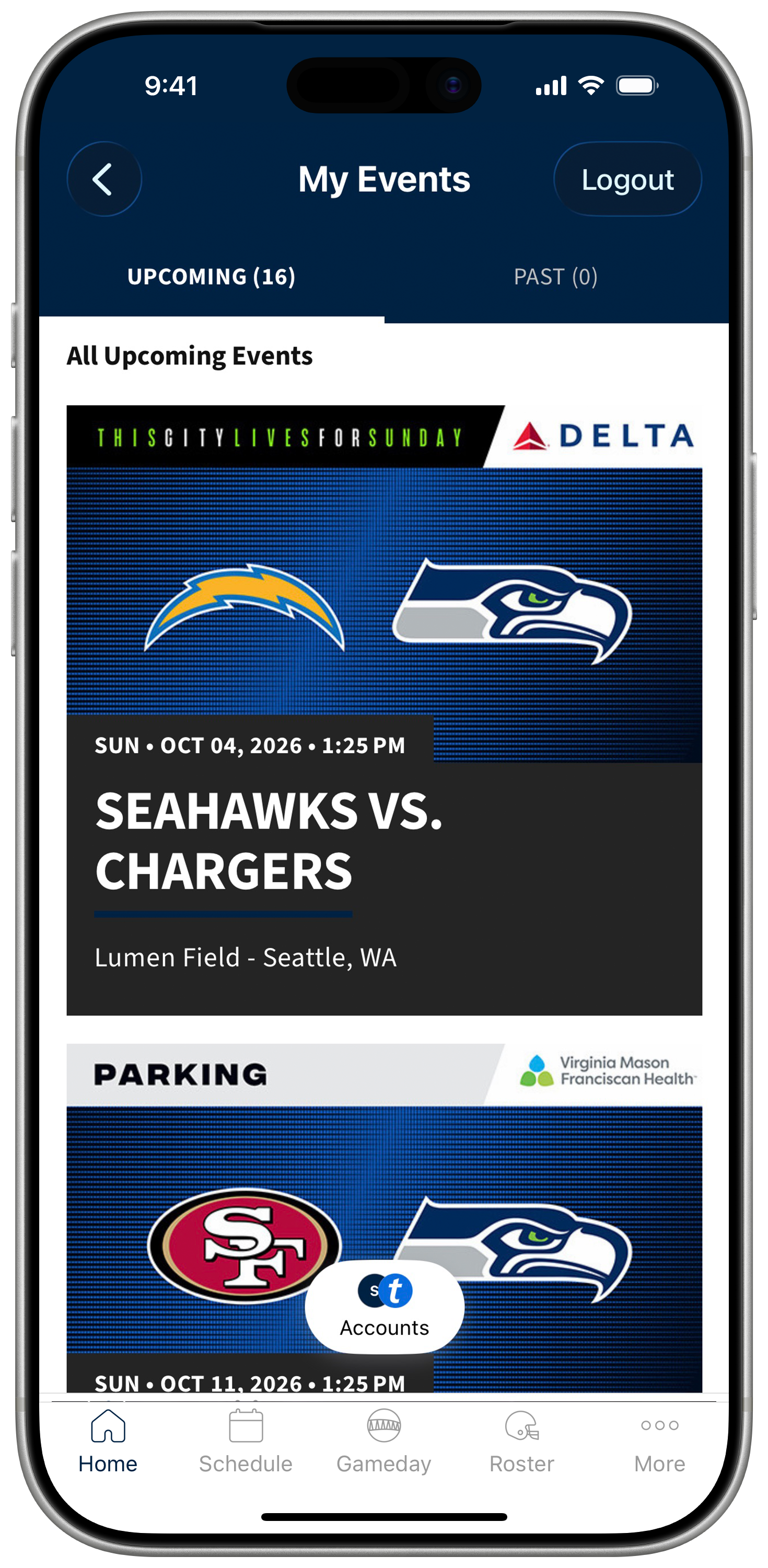
After logging in, your ticket will be accepted and stored in your Seahawks account. You will see a tile for the game you accepted tickets for. Tap the game tile to view your tickets.
Step #4
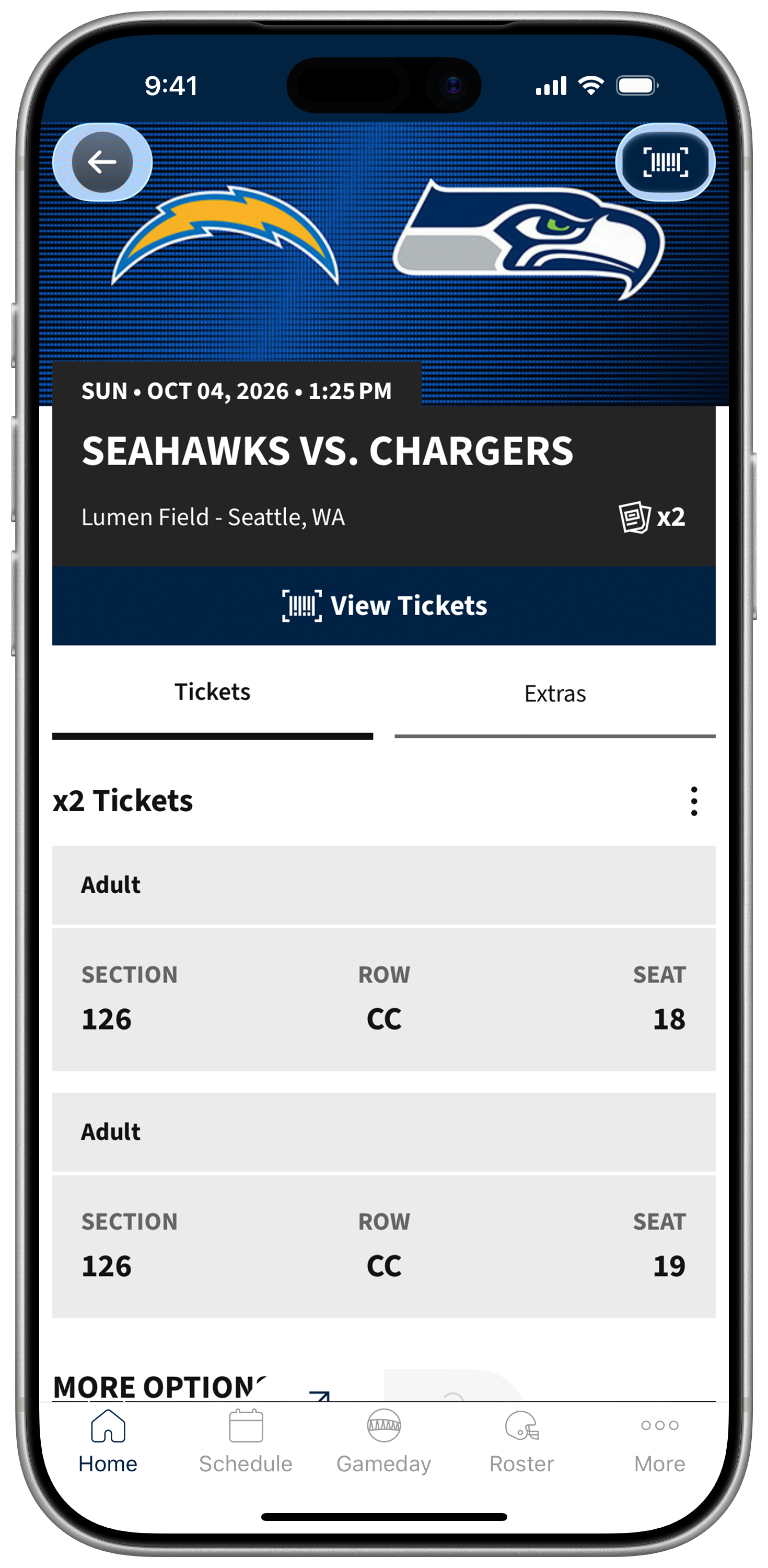
Tap View Tickets to view your tickets for scanning on gameday.
Step #5
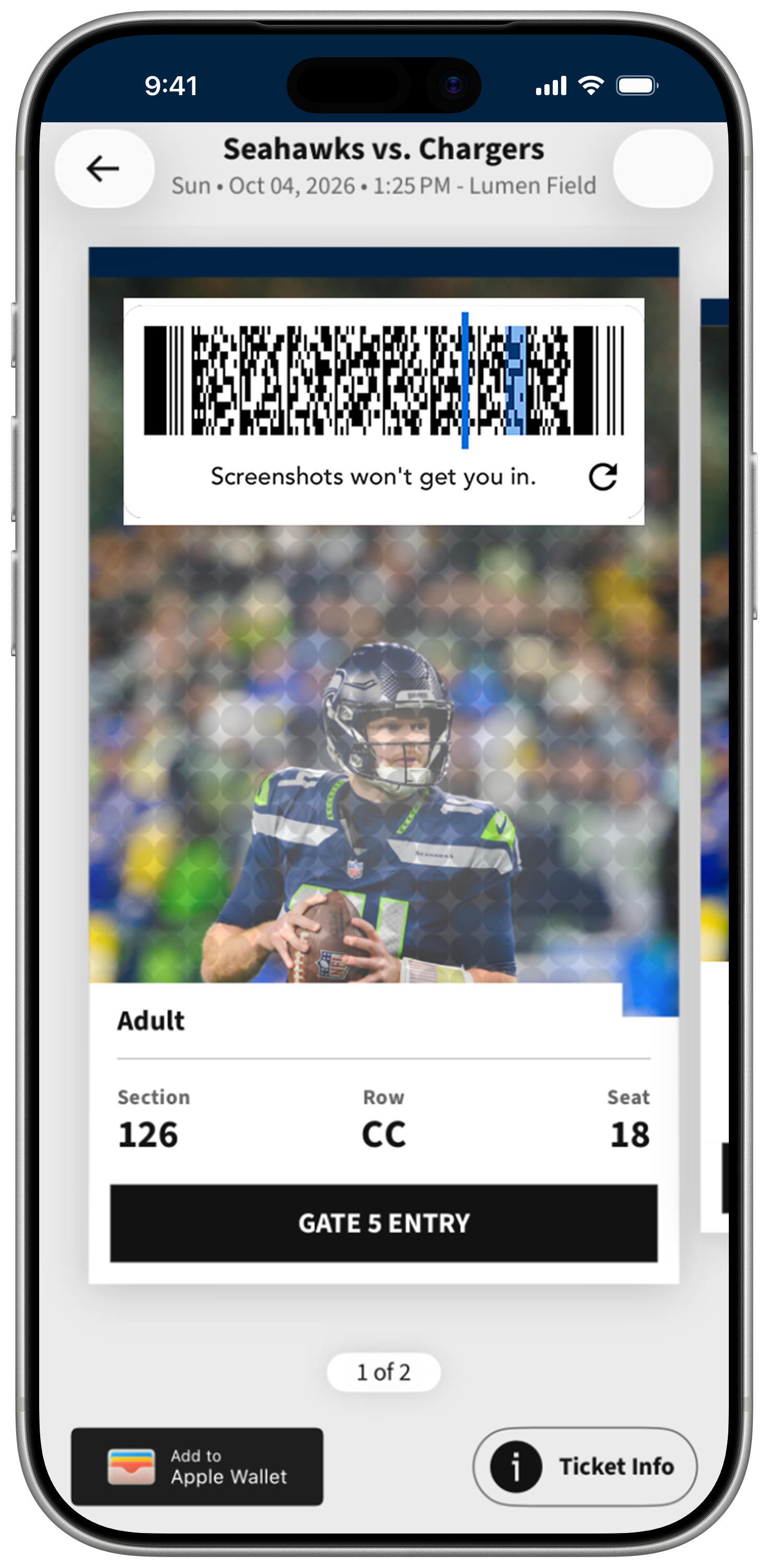
With your rotating barcode ticket, you'll be able to scan it at one of the self-service scanning towers at gate entry. Due to the rotating barcode on your mobile ticket, screenshots and printouts are not valid.
Step #6
Once added, your tickets will appear in your mobile wallet app. On gameday, simply open Google Wallet or Apple Wallet, select your ticket, and tap your phone at the self-service scanning towers for entry. Remember, each ticket must be scanned individually for access.
Frequently Asked Questions
I received an email or text message with a ticket transfer offer. What do I do next?
Click the link within your email or text message and follow the prompts to accept your tickets. These steps must be completed through a web browser on desktop or your mobile phone.
Do I need to set up a Seahawks Account?
Yes, if you do not already have a Seahawks Account you will need to create one at seahawks.com/accountmanager. The email address you use for your account must match the email address you received the ticket transfer offer to. You are creating an account so your ticket has somewhere to live!
When I create a new account, it says my email is already associated with an account. What do I do?
You may already have an existing account. Select "Forgot Password" to reset your password. You will receive an email with a link to reset your password. Be patient and check your spam folder if you don't receive the email immediately. Or, call the Seahawks Ticket Office at 888-NFL-HAWK during business hours to get a manual temporary password.
I tried to reset my password but I haven’t received an email to do so yet. What do I do?
Please be patient and check your spam folder if you don't receive the email immediately. Do not continue to hit the "Forgot Password" button to try and send another one. If it's been a while and you still haven't received your reset email, please call the Seahawks Ticket Office at 888-NFL-HAWK during business hours to get a manual temporary password.
I accepted the tickets through my web browser. How do I access my tickets for gameday?
You can log into your Seahawks Account Manager via web browser, or through the Seahawks Mobile App! You'll log in using the exact same credentials you used to accept your ticket transfer. For full instructions on how to access your tickets please review our “Access Your Mobile Ticket” tutorial.
I accepted a ticket transfer but now can’t make the game. Can I send my tickets to someone else?
Yes! You can transfer the tickets to another guest. For full instructions on how to send your tickets review our “Sending Your Tickets” tutorial. Your guest will accept the tickets via the same process you did.