Step #1
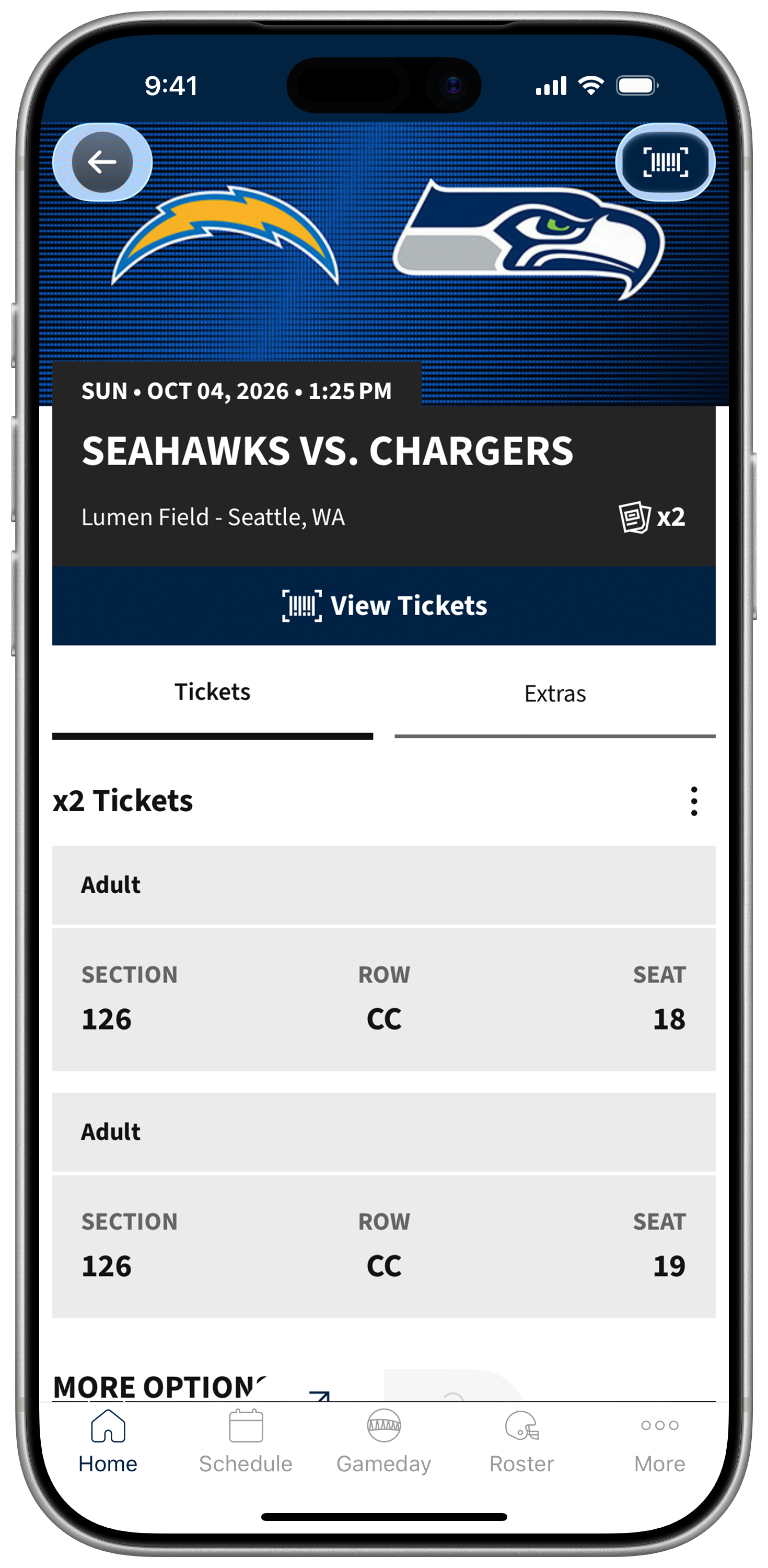
Select the game you'd like to attend. From there, you'll be able to view your tickets for that specific game. Click View Tickets to scan the barcode or add to wallet.
Step #2
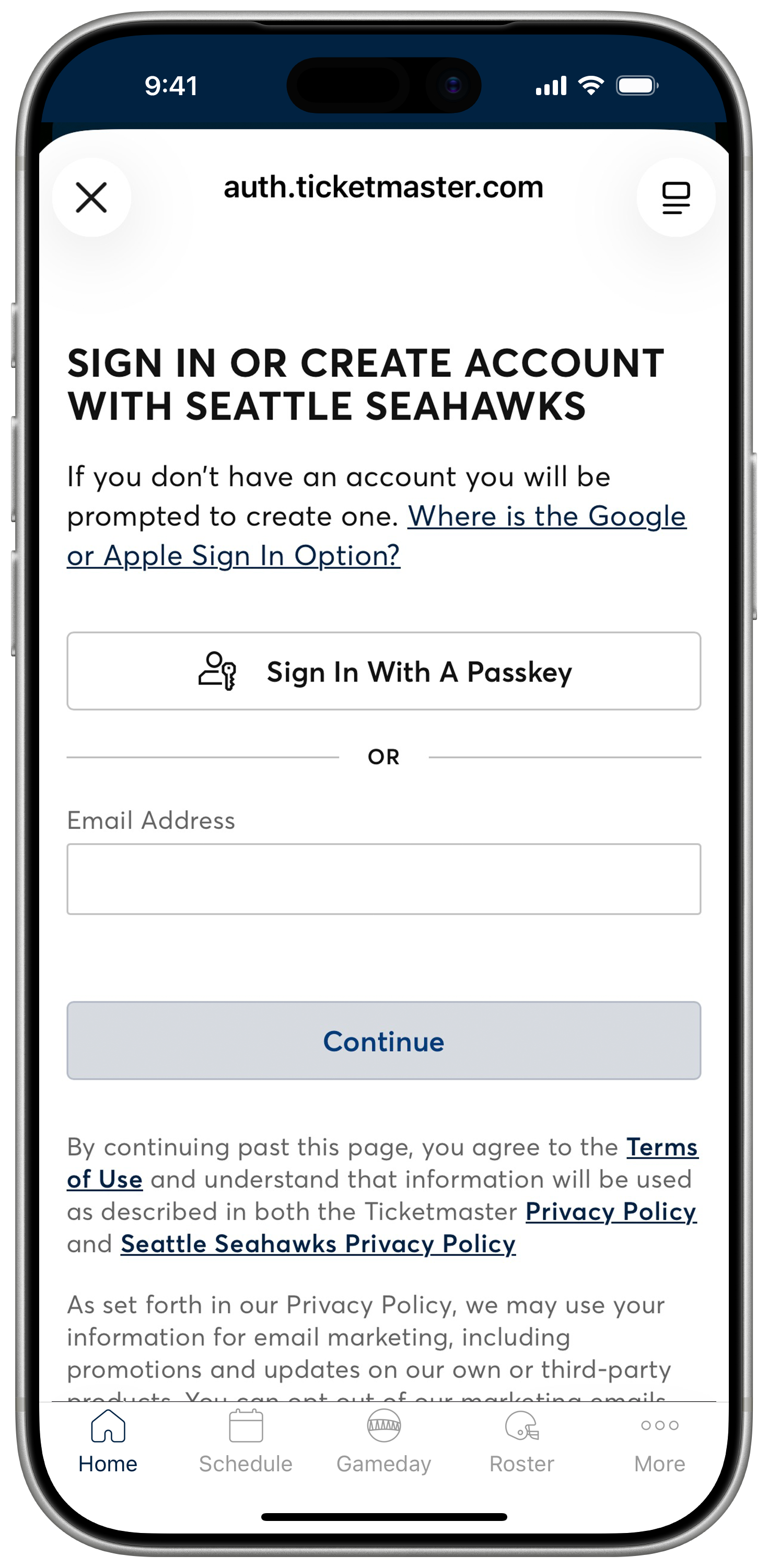
Login to your Seahawks Account Manager account powered by Ticketmaster to see your game tickets. Please be sure to use the email address associated with your tickets
Don't have an account? Follow the prompts to create one using the email address associated with your tickets.
Forgot your password? Select the Forgot Password option to reset it. You can choose to receive an email or text message with a one-time code to reset your password. Enter the code and set your new password to log in.
Step #3
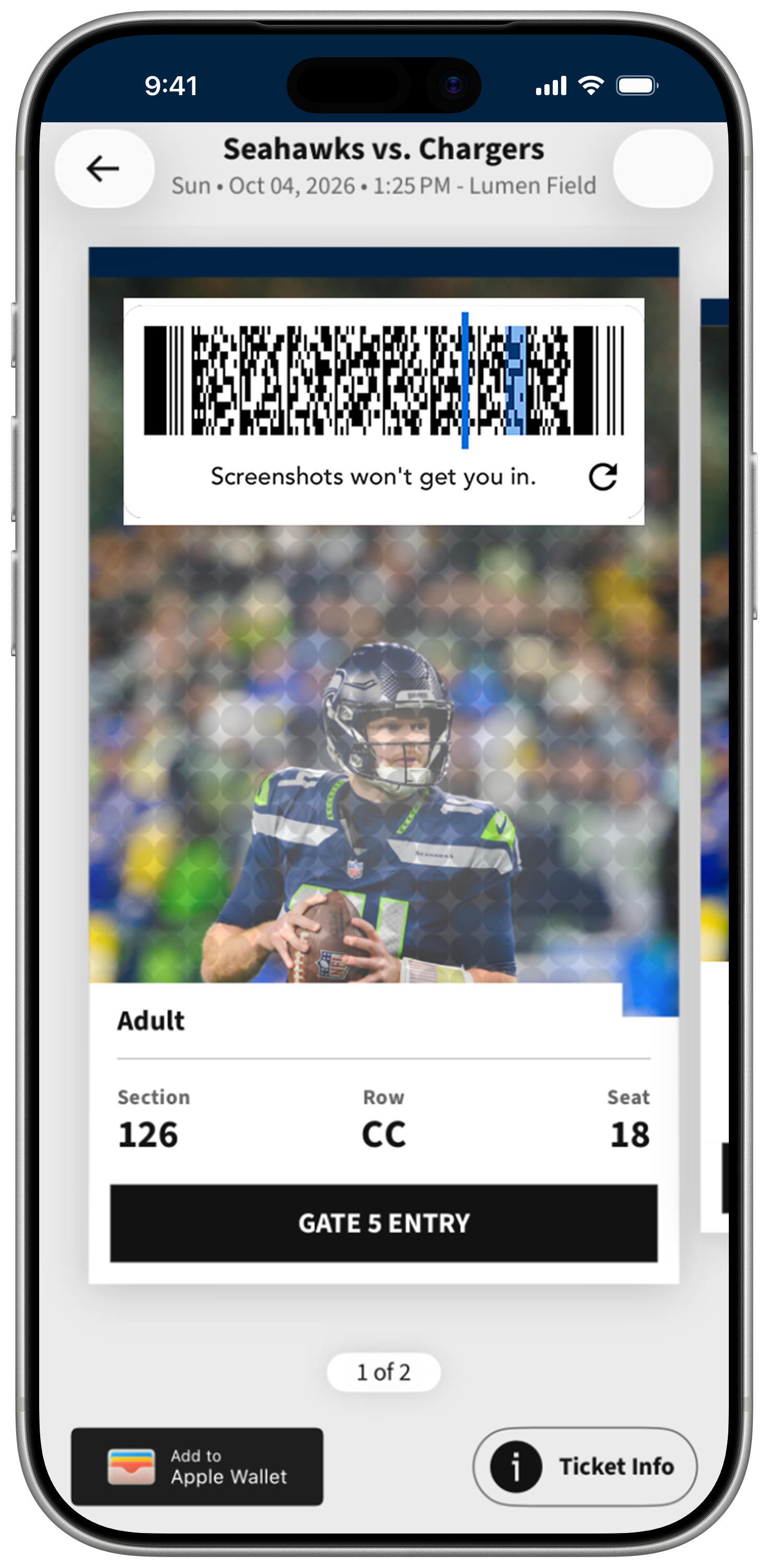
On the ticket screen, tap or "Add to Apple Wallet" depending on your device. For Apple Wallet, you may be asked to link your Ticketmaster account to your iCloud. These are quick, one-time actions.
Step #4
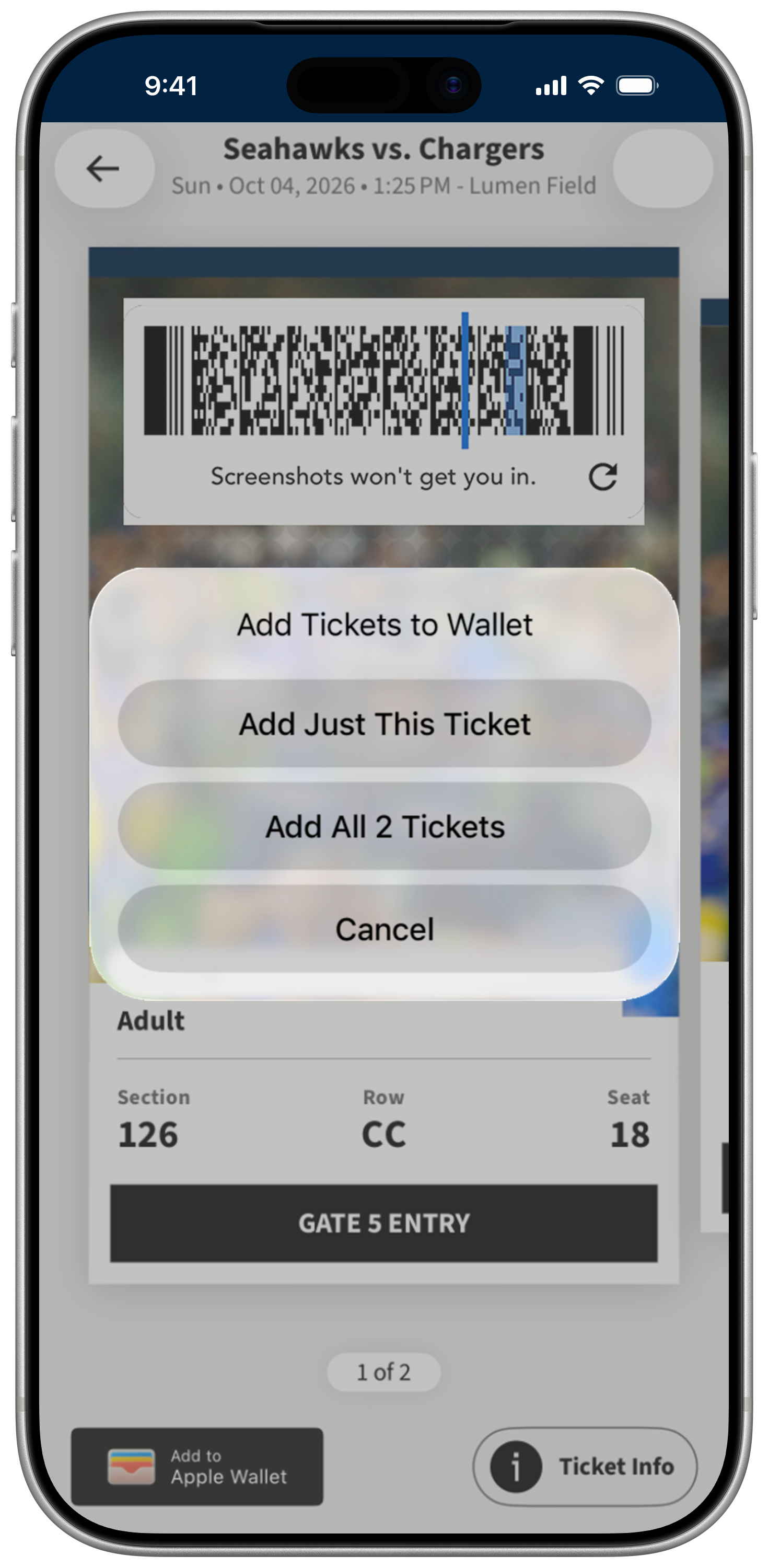
After clicking the Add To Apple Wallet, a pop will show so that you can confirm that you want to add the ticket to your Apple Wallet.
Step #5
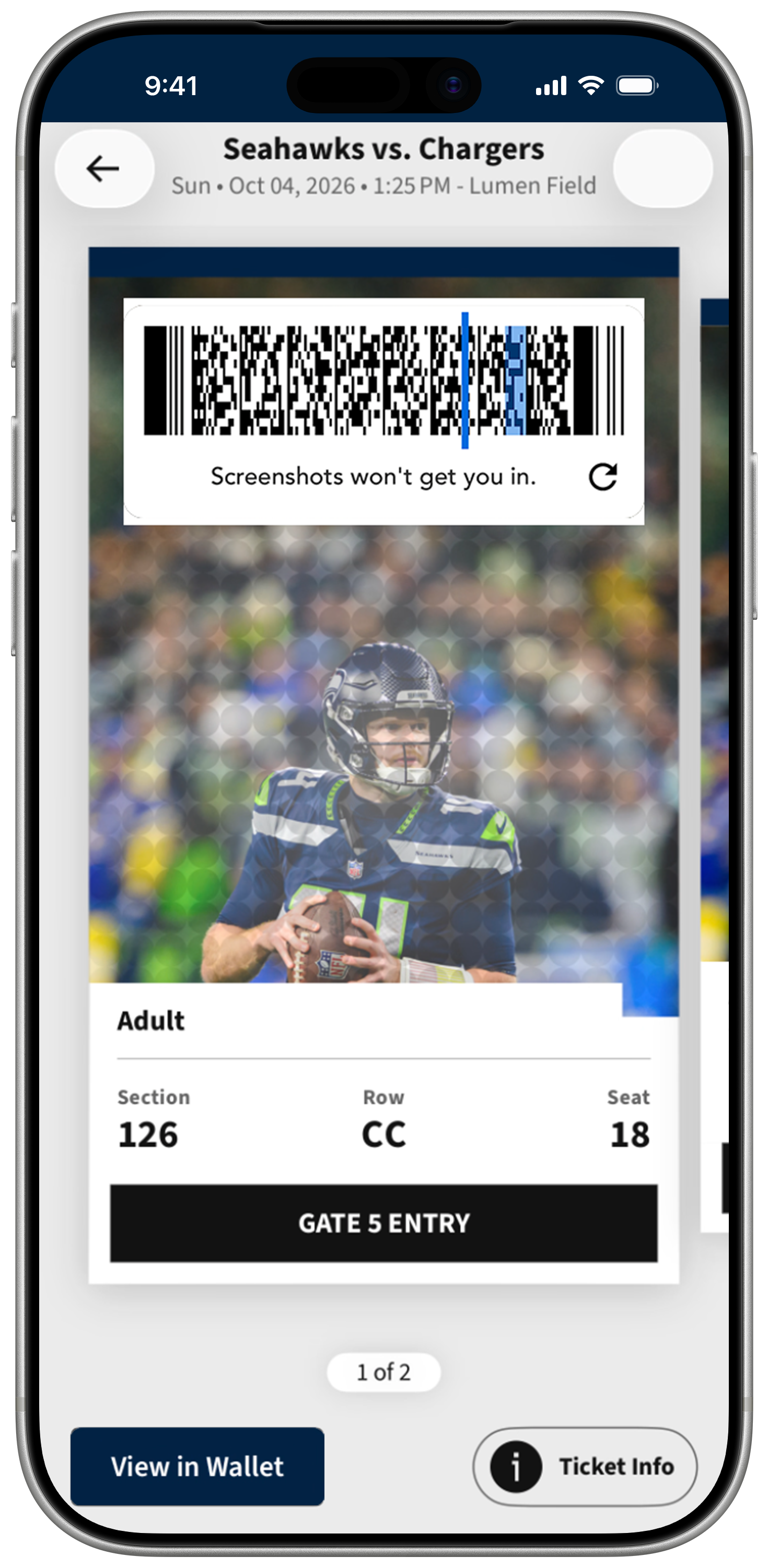
Once you click Add, you can access your tickets by clicking View in Wallet.
Step #6
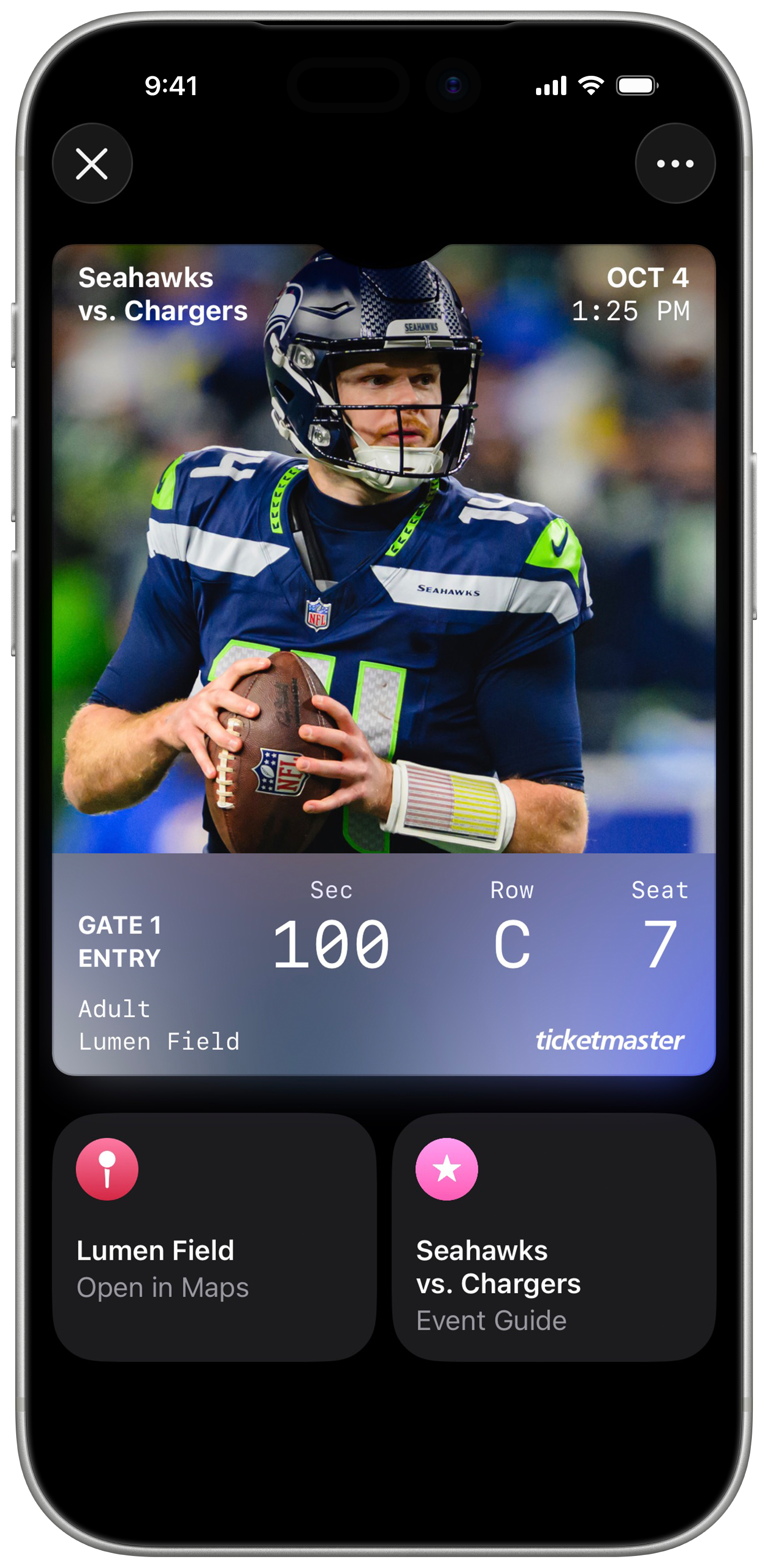
Once added, your tickets will appear in your Apple wallet app.
Step #6
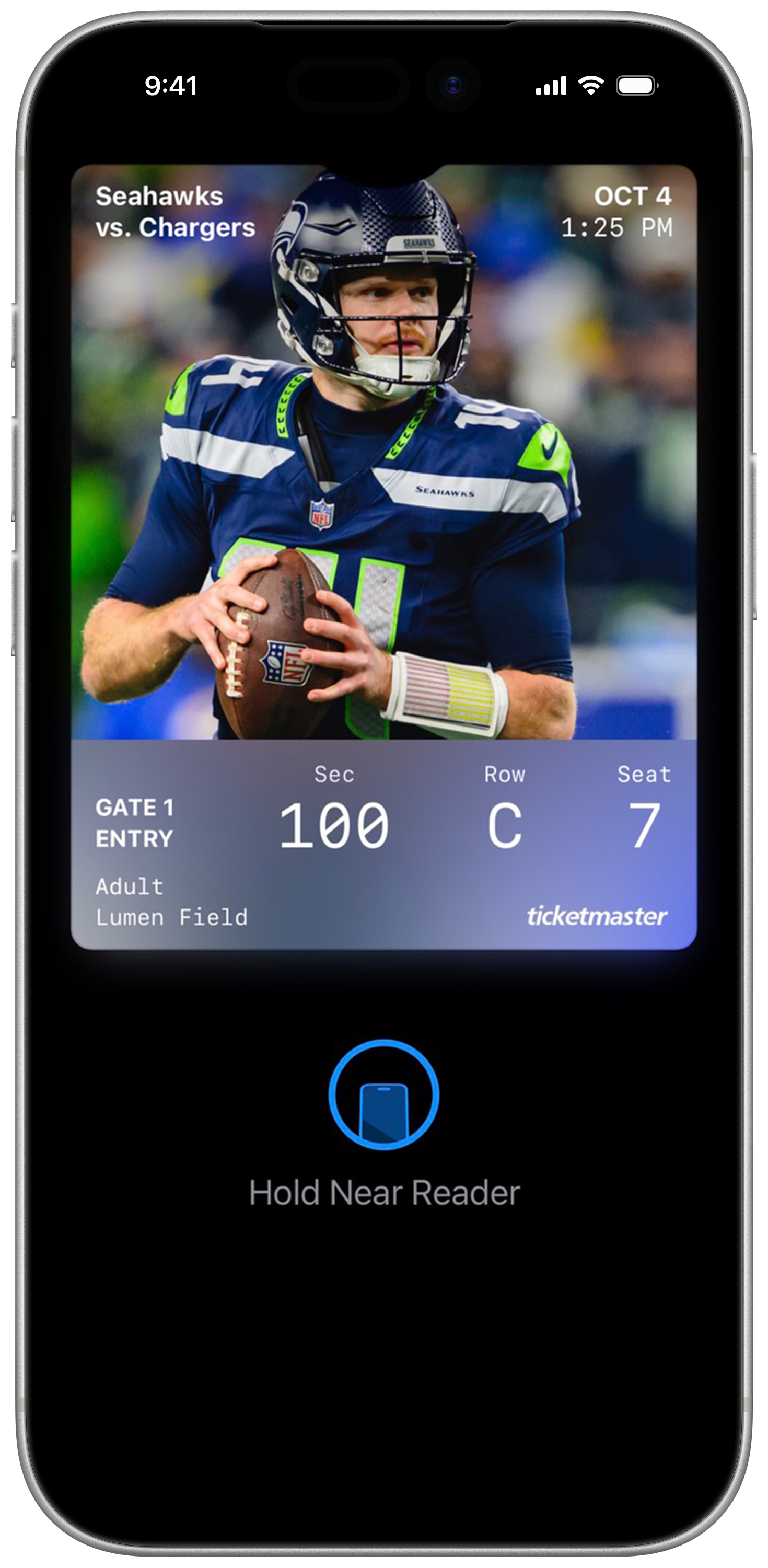
On gameday, simply open Apple Wallet select your ticket, and tap your phone at the self-service scanning towers for entry. Remember, each ticket must be scanned individually for access.